Raising Issues
What is an issue?
If you spot a bug, have a suggestion for development or want to ask a question, you can do this by creating an issue.
An issue:
- Captures a problem or idea: Anything from “the Rmd crashes when I click X” to “we should make this chart blue”.
- Creates a place for discussion: Team members can comment, ask questions, or suggest solutions.
- Keeps work organised: Issues can be labelled, assigned, linked to pull requests, or grouped into milestones.
- Documents decisions and progress: The whole conversation stays visible, so anyone can see what happened and why.
Creating an issue
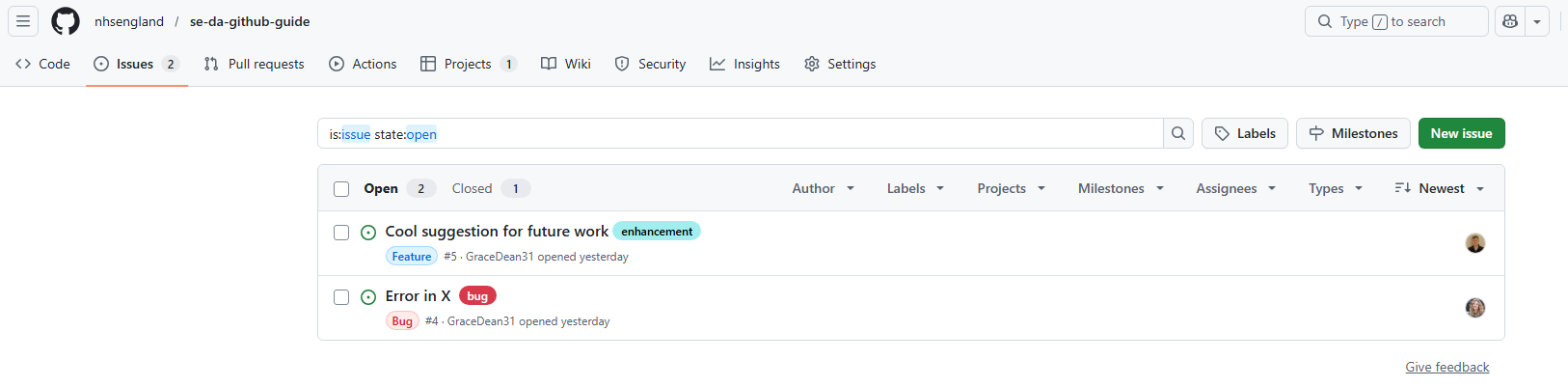
Navigate to the ‘Issues’ tab in the repository to see existing issues or create a new issue. To create a new issue, click the green ‘New issue’ button in the top right.
For a new issue you can:
- Name the card and add a description
- Assign someone (including yourself) to do the work
- Add labels and issue types, including priority labels
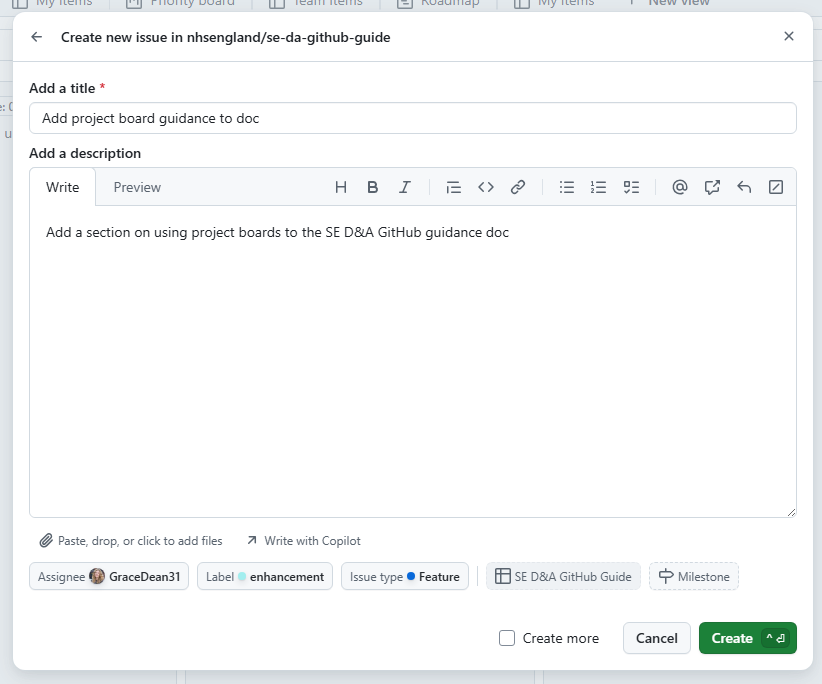
An issue can have both a ‘Type’ description and a ‘Label’:
- The ‘Type’ defines the primary nature of the issue and can be either ‘Bug’, ‘Feature’ or ‘Task’.
- A ‘Label’ adds extra information about the issue, such as the level of priority and area of interest.
An issue can only have one ‘Type’ but it can have multiple ‘Labels’. Both the ‘Type’ and the ‘Labels’ can be used for filtering on the ‘Issues’ page and on a project board.
The more detail you can add to a card, the better!
Do not add sensitive data or SharePoint links etc to issues, treat them like other areas on GitHub.
Sub-issues
You can create a series of sub-issues related to an issue:
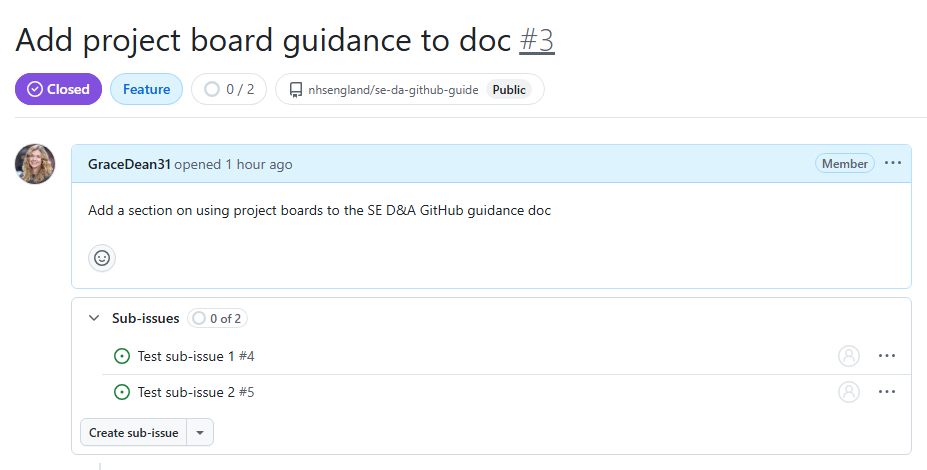
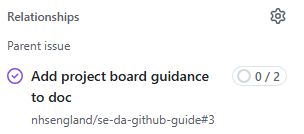
New cards are created for each sub-issue. This means you can assign different team members (or yourself) to different sub-issues, create individual branches and track progress separately. The relationships section also lets you see which issues and sub-issues are related:
Closing an issue
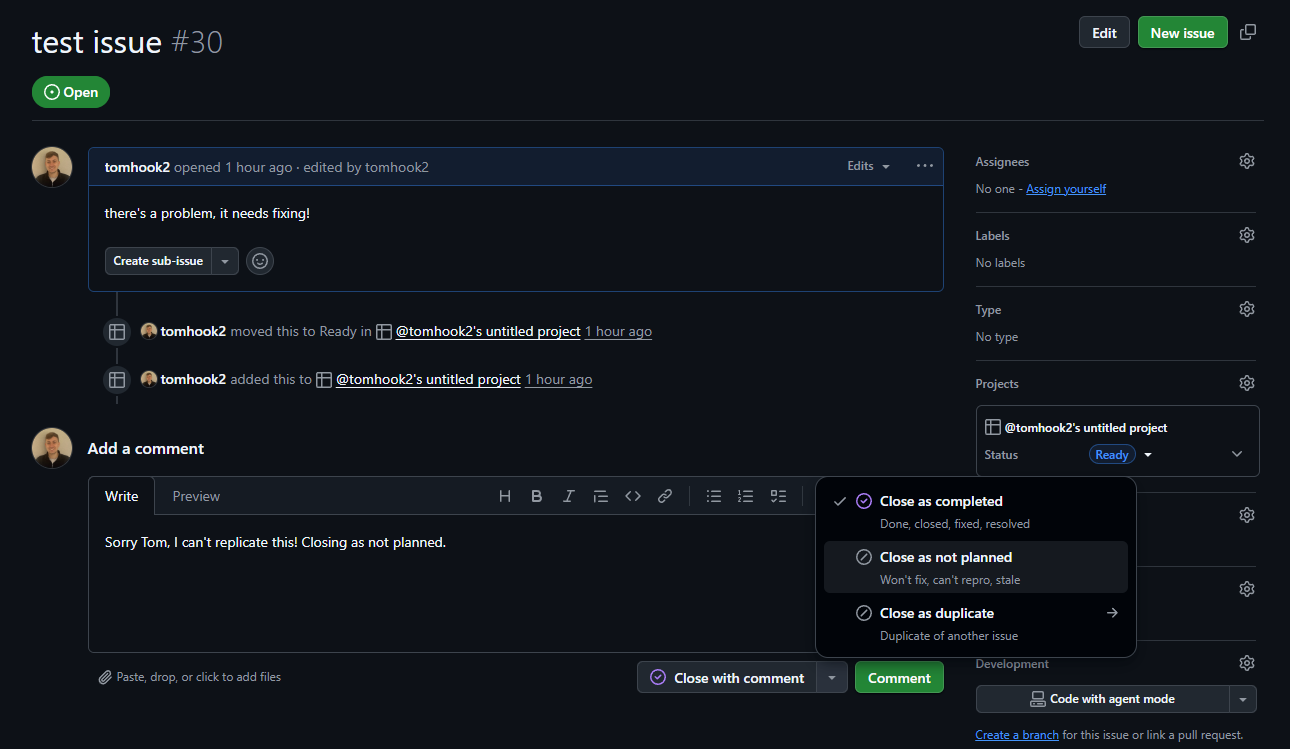
Closing an issue means it is no longer required. Issues can be closed for the following reasons:
- Completed - e.g. change has been done, closed, fixed, or resolved
- Not planned - e.g. decide not to make the change, can’t reproduce the bug, change no longer required
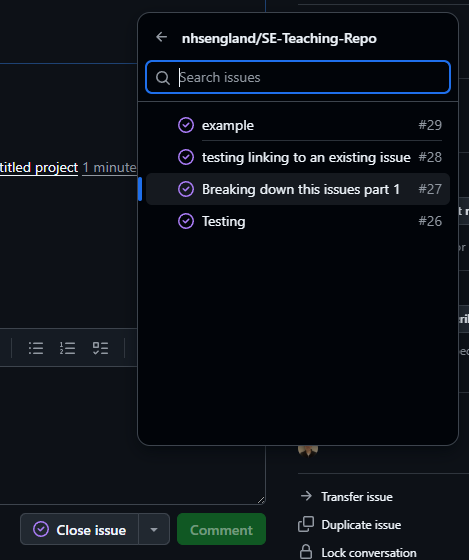
- Duplicate - this is a duplicate of another issue
You may wish to add a comment to provide context of closing the issue.
When closing as duplicate, it will prompt you to choose the issue that the issue your closing is a duplicate of. You may wish to close the newest duplicate, or the one with less information on the card, but it doesn’t matter too much as the closed issue information can be found on the duplicate issue card which remained open
Closing an issue is essential as it shows that the issue is no longer outstanding. Closed issues will not appear by default on the “Issues” tab as this view is for open issues.
If closed, the content is not deleted, and the issue can be reopened later if required.
An issue will automatically close if it had a pull request connected that was merged.
Project Boards
Project boards are a great way to plan, track, and manage a piece of work. They are used alongside issues to manage workflow and collaborate with your team. Read all about project boards and issues here.